

grey-zebra-143495.hostingersite.com

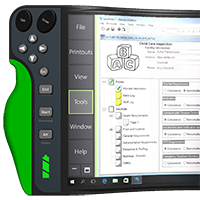
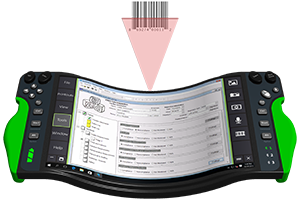
TREWGrip is a new form factor, or hardware platform, for enterprise mobility that enables mobile workers to be both mobile and productive. By simply rotating the hands 90°, and placing the keys on the backside in a familiar QWERTY keyboard configuration, mobile workers can hold TREWGrip and type productively at the same time. The benefits of a grippable computer, however, go far beyond the keyboard…
The following features are conceptual in nature, and along with the use cases, are intended to provoke new ways of thinking about enterprise mobility. These features represent the capabilities envisioned for a grippable computer, and they may or may not be included in an actual production product.
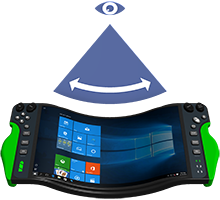
Curving the edges of the screen slightly forward enhances the visual perception of depth, and produces a wider field of view. This gives the feel of a large format display, and makes the screen easier to see.
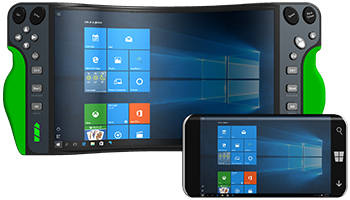
Turn any mobile device into a productivity tool by using TREWGrip as a wireless display. A different take on the grippable computer.
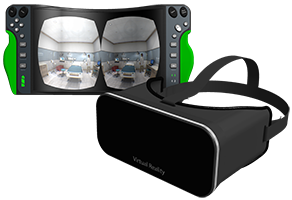
Fully integrated input/output system to access and interact with a virtual world. A practical approach for moving virtual and augmented reality into the real world.
With today’s mobile technology, mobile data entry is limited to one-handed point-and-tap input. Although easy for a novice to learn, a skilled worker’s productivity is negatively affected by the number of taps required to complete a task. Data entry in an office setting is done with two-hands, it’s time for mobile workers to start using two-hands for data entry.
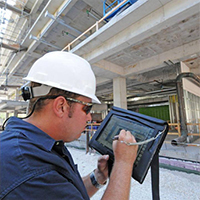
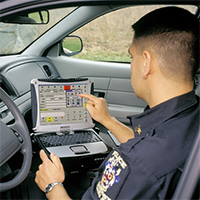
The promise of a mobile office is that workers can do their work where they work. Although vehicle mounted laptops offer some productivity benefits, they confine the mobile worker to the vehicle; and in most cases, the actual work being done is outside the vehicle. This requires the mobile worker to go back and forth between the work site and mobile office, and ultimately reduces productivity.
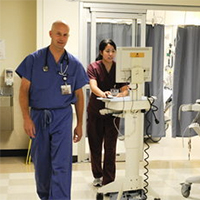
Desktop and laptop computers are being mounted on carts with wheels to address the mobility needs of today’s healthcare workers. These computers on wheels, as they are called, provide some mobility and productivity benefits, but the carts themselves take up precious space in patient rooms and often create a barrier between the patient and caregiver. The carts are difficult to maneuver, and limit mobility in crowded corridors.
TREWGrip allows people to experience the ergonomic benefits of maintaining the hands in the ‘handshake’ position, and keeps the arms shoulder-width apart to help avoid discomfort and pain in the chest, neck, back and arms.
TREWGrip enables people with certain physical disabilities and medical conditions to increase and improve their functional capabilities. The most common considerations are limited reach, visual impairments and voice limitations.
To learn more, visit an authorized reseller:
Are you ready for the next evolution in
enterprise mobility?
Purchase an R&D; Kit, and start exploring TREWGrip for yourself. The R&D; Kit includes a TREWGrip Mobile Dock, and the accessories needed for research and development using existing technology platforms.